Conversation Topics
Conversation Topics allow you to automatically categorize customer inquiries handled by AI. By defining a set of topics (e.g., Shipping Status, Returns, Product Questions), the system classifies each completed conversation into the most relevant category - making it easy to understand what customers are asking and where support automation has the greatest impact.
If a conversation doesn’t match any defined topic, it falls into “Other” automatically.
1. Define topics
Create and manage topics in:
Settings → AI & Automation → Conversation Topics
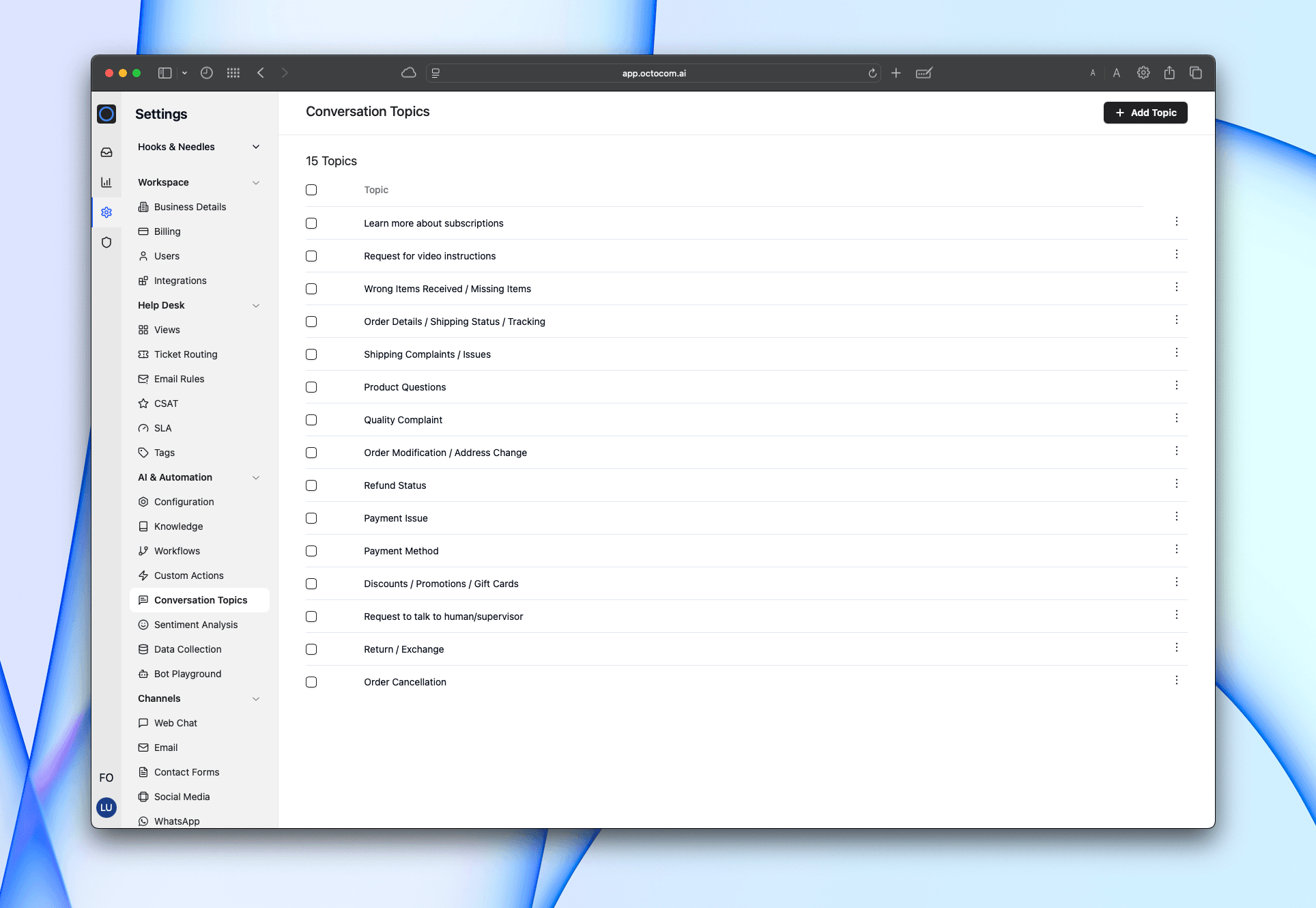
Each topic is a title. Add one or multiple titles at a time.
Examples:
- Order status
- Shipping complaints
- Returns and exchanges
- Payment issues
- Product questions
- Discounts and gift cards
Keep the list focused. Adjust as patterns emerge.
2. Automatic classification
After each conversation is closed/resolved or handed off:
- The system reviews the conversation.
- Assigns the most relevant topic - or Other if none apply.
- Analytics update automatically.
Classification applies across all bot channels.
Analytics
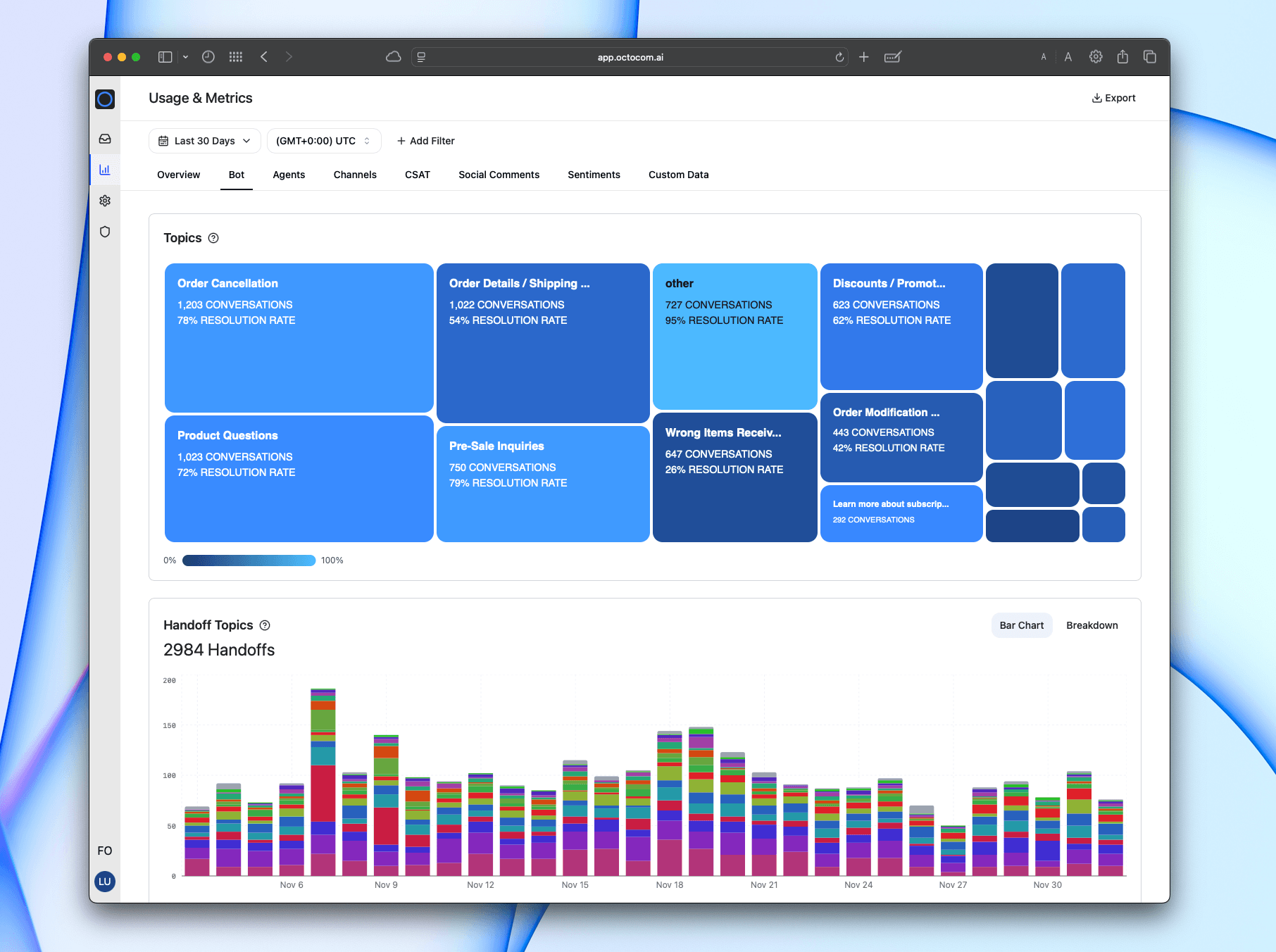
Topic performance is visible in:
Metrics → Bot
You’ll see two views: Topics Overview and Handoff Topics.
Topics Overview
This treemap visualization shows how conversations are distributed across your topics.
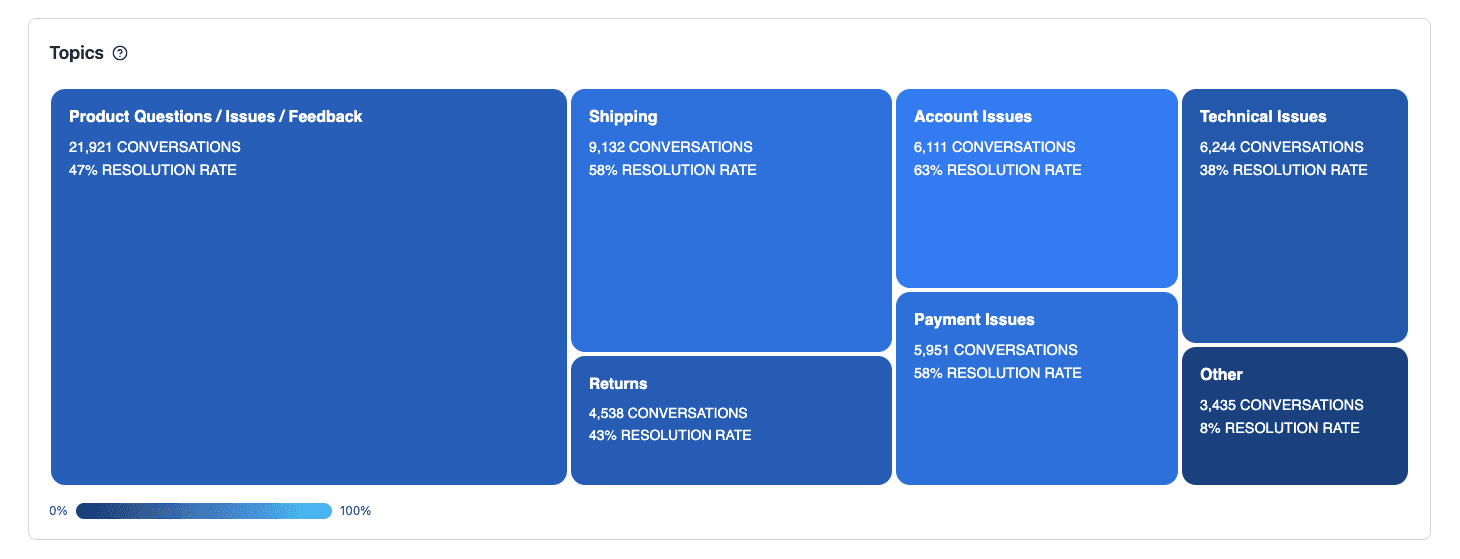
How to read it:
| Element | Meaning |
|---|---|
| Tile size | The share of total conversations within that topic (larger tile = more volume) |
| Tile color | Resolution rate (lighter = higher automation success, darker = lower success) |
| Text inside each tile | Conversation count and resolution rate for that specific topic |
Example insights:
- Product Questions / Issues / Feedback represents the largest portion of conversations.
- Account Issues has one of the highest resolution rates.
- Other is small in volume and has low automation success — indicates potential new topic needs.
Use this chart to:
- Prioritize topics based on customer demand
- Identify where automation is performing well or needs improvement
- Track changes over time as topics evolve
Handoff Topics
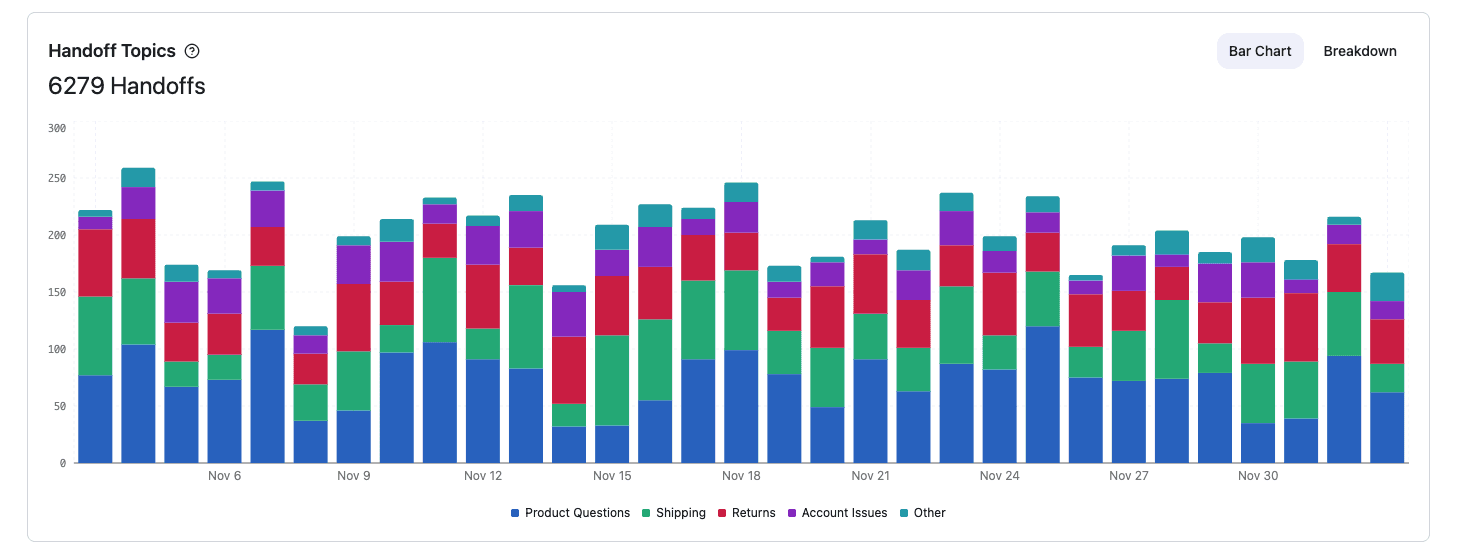
This chart shows which topics still require human assistance, and how often those handoffs occur over time.