Sentiment Analysis
Sentiment Analysis helps you understand how customers feel during their conversations with AI. Once enabled, the system evaluates the emotional tone of each completed conversation and assigns one of the following levels:
- Strongly Negative
- Slightly Negative
- Neutral
- Slightly Positive
- Strongly Positive
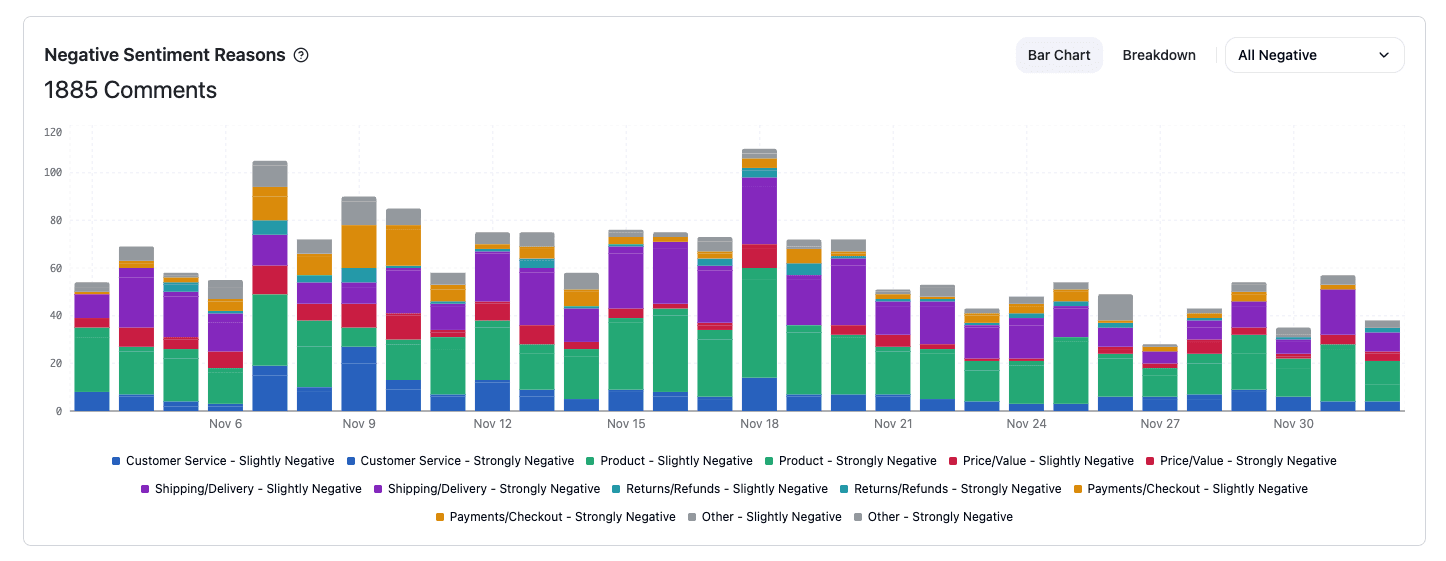
For negative experiences, it also identifies the main reason behind the sentiment (e.g., product complaints, delivery delays, pricing concerns, service dissatisfaction). This makes it easy to see what is driving frustration and where improvements will have the most impact.
1. Define Sentiment Reasons
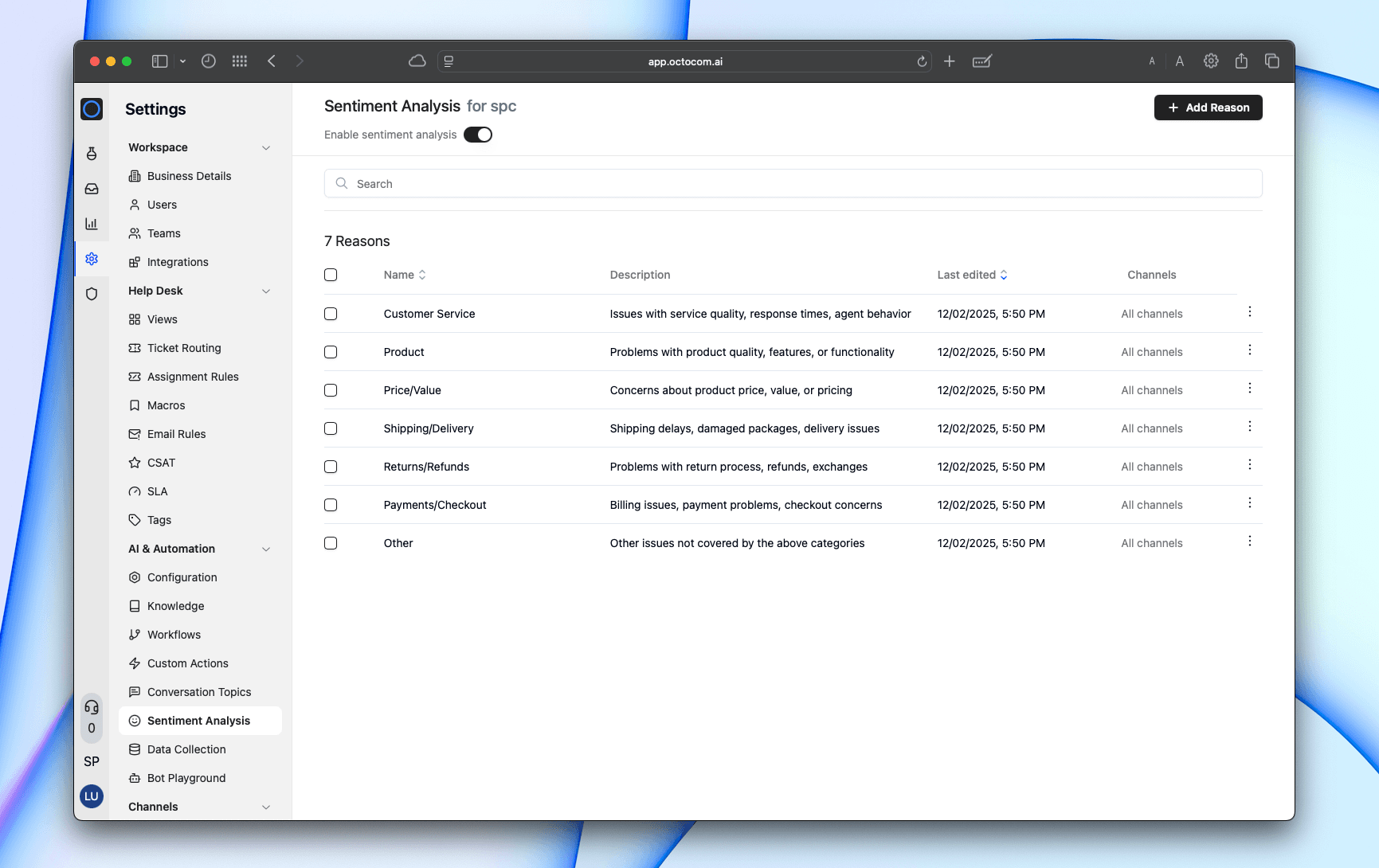
Create and manage sentiment reasons in:
Settings → AI & Automation → Sentiment Analysis
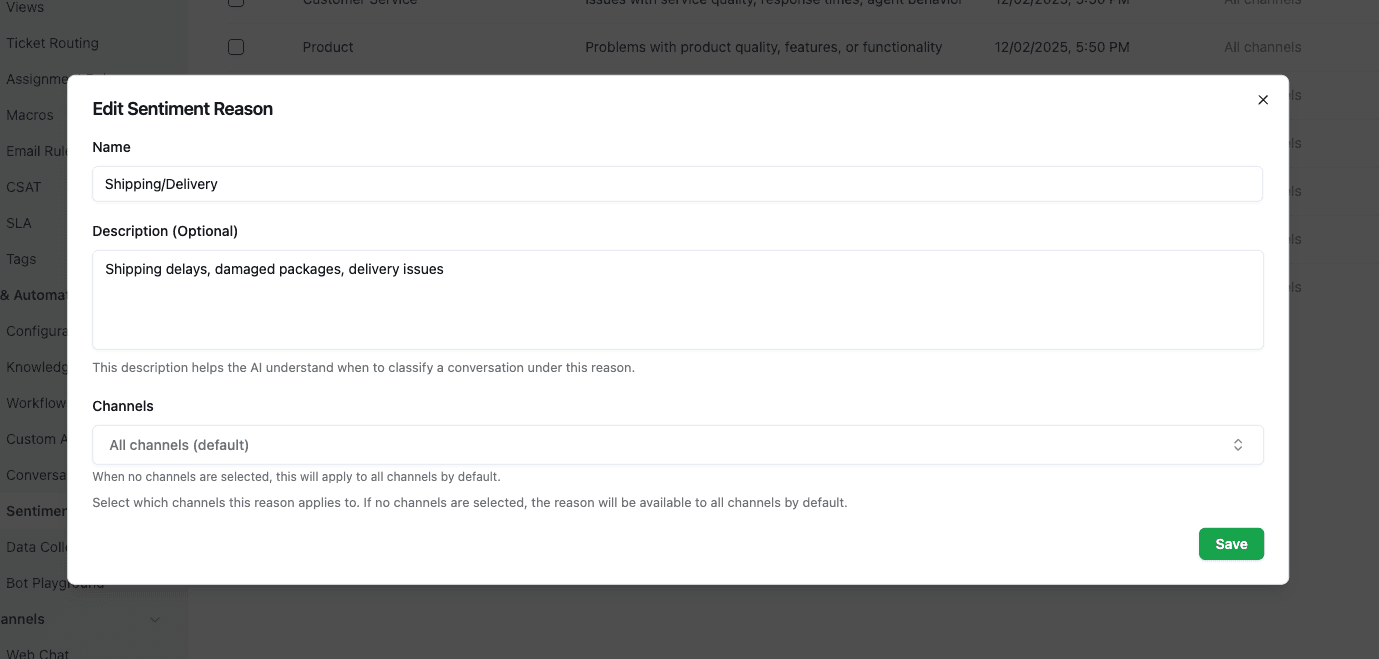
Each reason can include:
- Name — the category
- Description — guidance for AI classification (optional)
- Channels — limit the reason to specific channels (optional)
Example reasons:
| Reason Name | Description |
|---|---|
| Customer Service | Issues with service quality, response times, or agent behavior |
| Product | Problems with product quality, features, or functionality |
| Price/Value | Concerns about pricing, perceived value, discounts |
| Shipping/Delivery | Delays, damaged packages, tracking issues |
| Returns/Refunds | Issues with the refund or return process |
| Payments/Checkout | Billing problems or checkout failures |
| Other | Anything not covered by the above categories |
2. Automatic Classification
After each conversation is closed/resolved or handed off:
- The system analyzes the overall emotional tone
- Assigns a sentiment level
- Applies the most relevant sentiment reason
Sentiment Levels:
- Strongly Negative
- Slightly Negative
- Neutral
- Slightly Positive
- Strongly Positive
Analytics
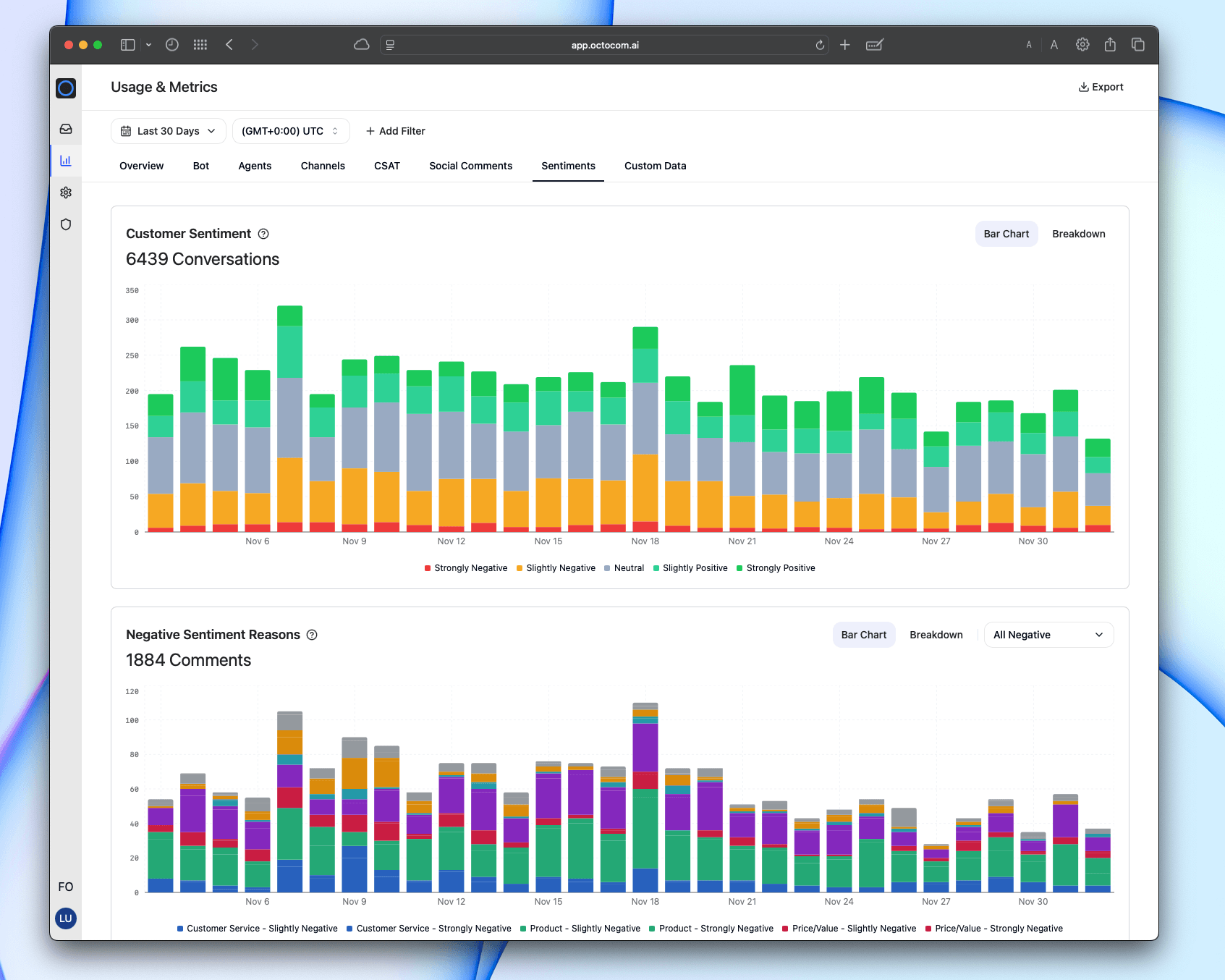
Sentiment performance is available in:
Metrics → Sentiments
Two insights views:
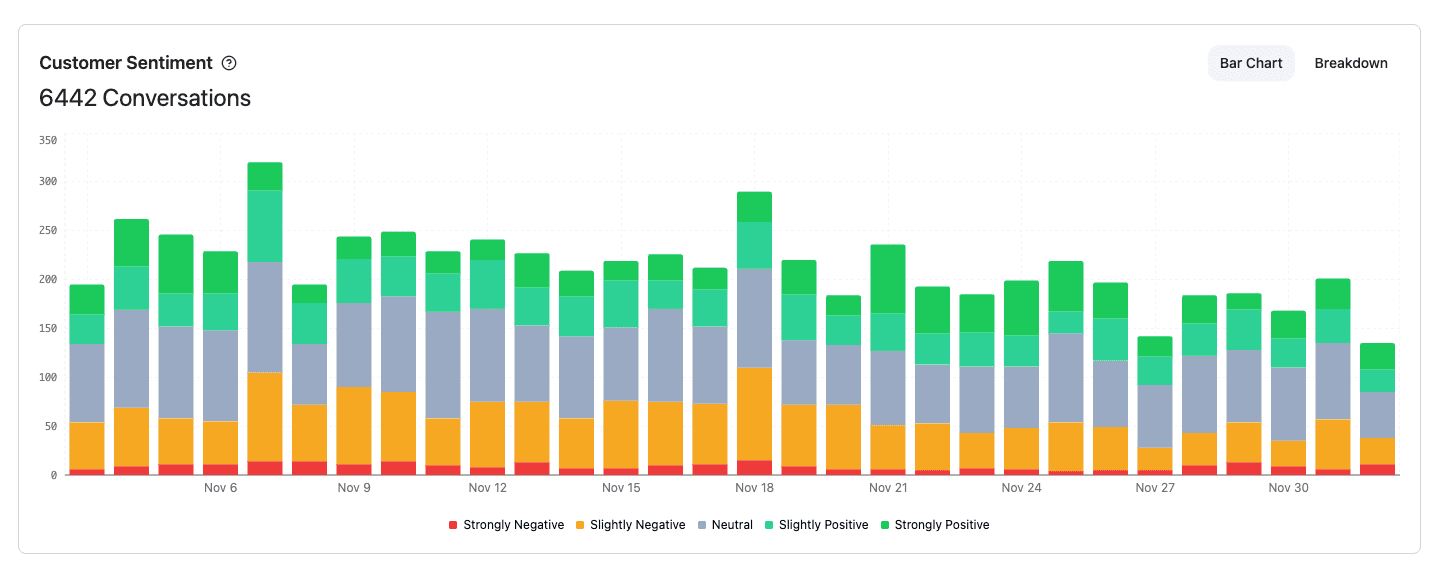
Customer Sentiment
A stacked chart showing how conversations distribute across sentiment levels over time.
Negative Sentiment Reasons
Breaks down negative conversations by the reason assigned.